A step-by-step guide centered on writing—connecting your ideas to structure, translation, SEO, and domains.
A simple path that takes even new users smoothly to publishing their first post.
Translation starts immediately after publishing a new post. It’s recommended to save as a draft, review thoroughly, and then publish.
You focus on the joy of writing—Mikihands takes care of the rest. That’s how we work best.
The editor is more than just an input box—it's a workspace where writing, structuring, translation prep, and internal linking all come together.
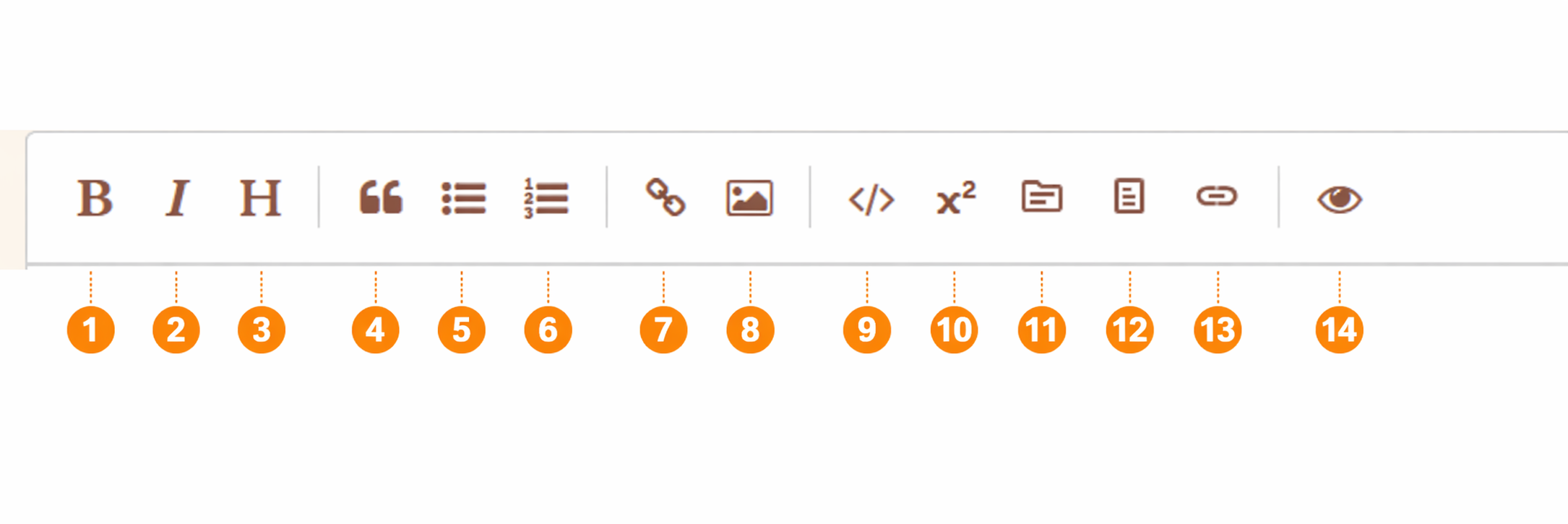
These are basic tools like Bold, Italic, Headers, Quotes, Lists, Links, Images, Code, and Preview. They are designed to be intuitive.
The Preview tool (#14) is for checking the rendered state while writing. Since it isn't 100% identical to the live page, we recommend a final check using the "Draft Preview" before publishing.
Use footnotes to add sources or supplementary details without breaking the flow of your text. This is especially useful for technical posts or link-heavy content.
Topics are vital in Mikihands. You can drag keywords to connect core concepts of your post directly to topics.
If you have expanding concepts, it’s best to set topics before publishing. Doing so ensures topic links are automatically applied to all translations. Post-publish topic settings only apply to the current language, requiring manual updates for other versions.
This behavior is by design, as some users prefer to keep specific links limited to certain languages.
This feature allows you to pre-define how specific terms or phrases should be translated for each target language.
We highly recommend using this for more natural translations. You can also reload previously saved settings.
This feature lets you search for and insert links to your past posts directly into your current draft.
It’s great for SEO or helping readers easily discover related content from your archive.
You can also trigger this by typing "$$" twice as a shortcut.
Within the editor, AI isn't the lead writer—it’s a helper for when you're stuck and a tool for generating multilingual versions after publishing. We recommend using it for metadata generation to save significant time.
Search traffic doesn’t come from keywords alone. Structure, topic connections, and internal links need to work together.
Translation is a core feature of Mikihands, but getting the best results depends on timing your publication and using the Glossary effectively.
When you publish a new post, translation is automatically triggered. Therefore, if your sentences or structure are still being refined, we recommend saving it as a draft and reviewing it thoroughly before publishing.
Setting language-specific standards for brand names, technical terms, and recurring expressions through the Glossary results in much more natural translations.
Features such as the number of translation languages and custom domains vary depending on your plan.
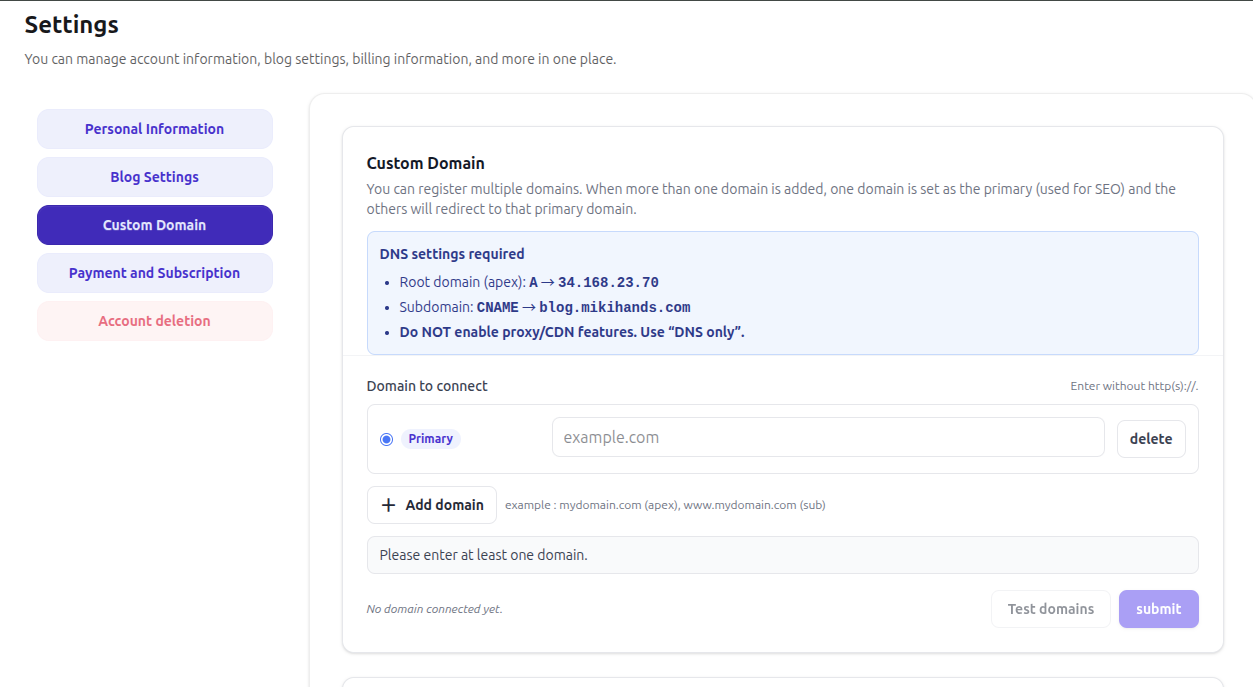
Premium users can move beyond the default platform address and run their blog on a domain they personally own.
Since publishing automatically triggers translation, a final review by the author is essential.
As translation begins upon publishing, it’s best to review sentences, topics, links, and metadata beforehand.
Facts, timeliness, copyright, and citations should always be verified by a human.
When connecting a custom domain, ensure DNS settings are entered correctly, and review proxy/CDN options beforehand.
Key points are summarized to help you quickly resolve common issues.
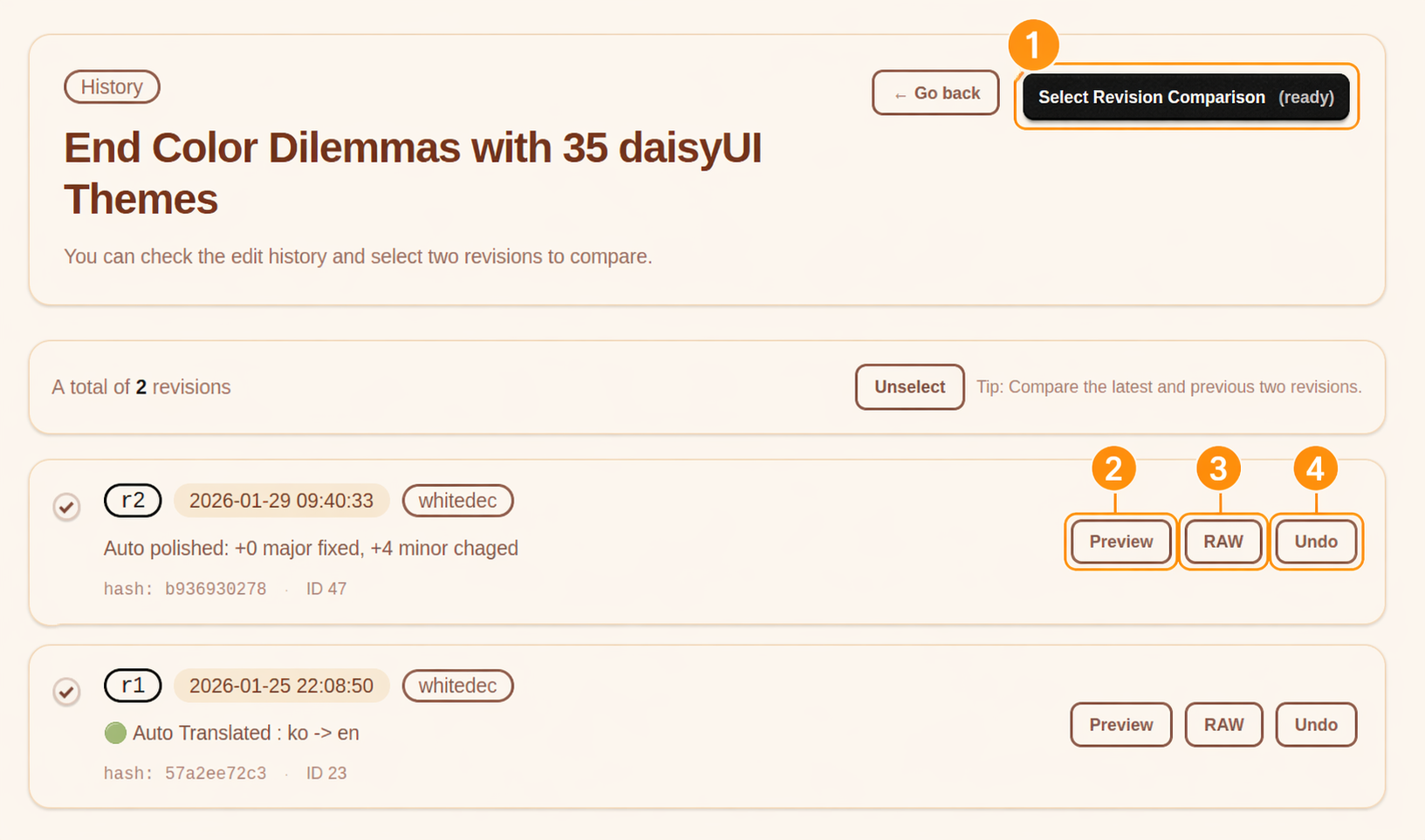
In History, you can select a previous revision to compare and revert if needed. Both drafts and published edits are versioned, making experimental changes relatively safe.
Select two revisions to enable diff comparison. This is especially useful for comparing the current version with a previous one.
You can preview how that revision will appear on the actual page.
View the original markdown at that point in time. Useful for checking sentence-level or structural differences.
Revert to the selected revision. Helpful for quickly restoring changes if you’re not satisfied.
First, check your glossary. Defining commonly used terms and expressions in advance makes translations much more natural.
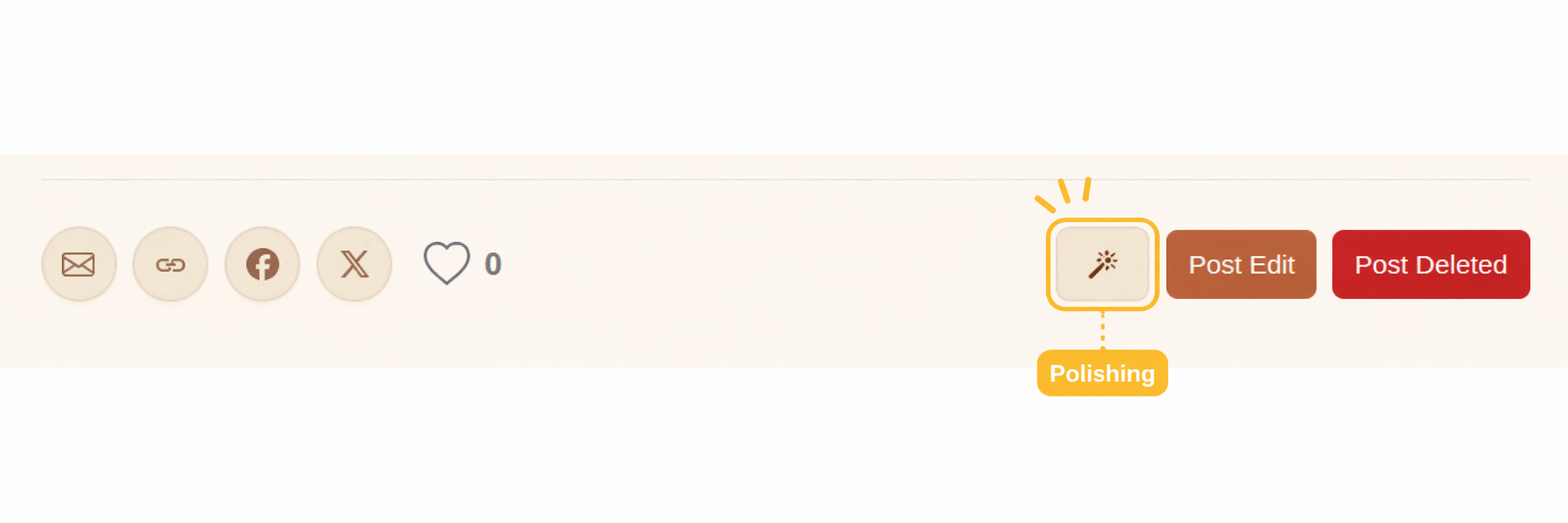
Even after translation is generated, you can refine it using the AI polishing feature.
Beyond a simple blog UI, Mikihands allows you to integrate post creation, editing, and publishing into other services or automated workflows via authentication and API flows.
The desire to write is already within you. Mikihands is just here to blow a gentle breeze and help that spark catch fire.